Lab status: reproduction scheduled on our Nginx + WordPress lab stack. This article stays a draft until the lab evidence below is complete.
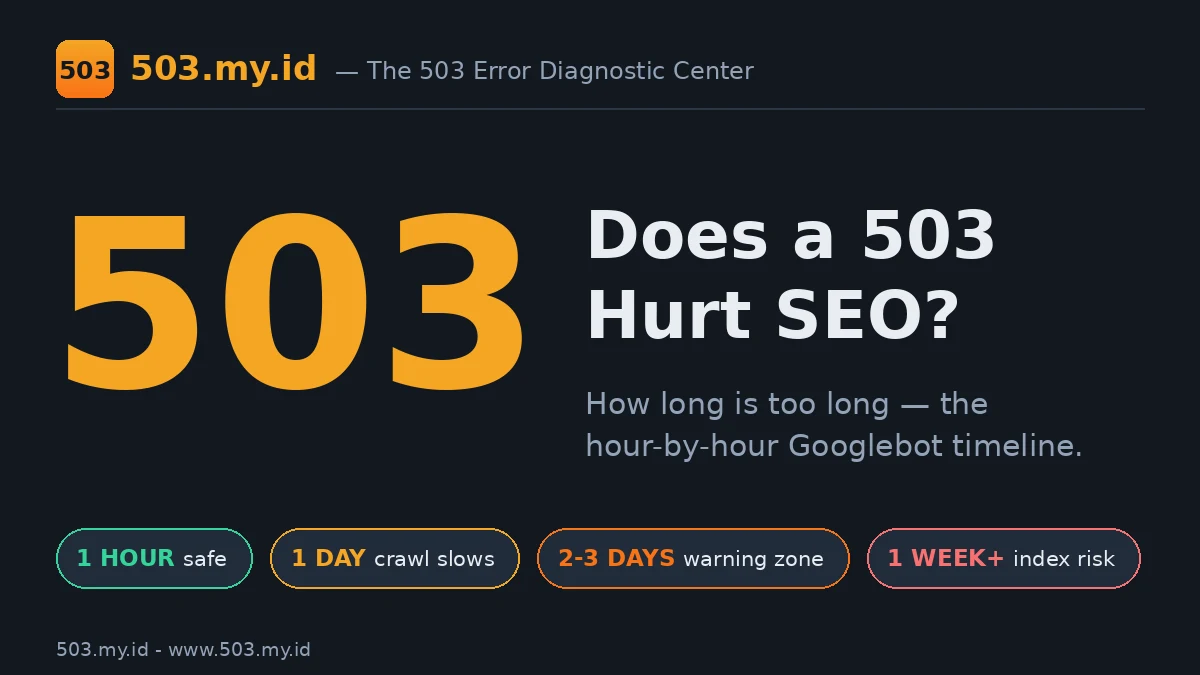
The short answer: a short 503 rarely harms rankings. Google treats it as temporary and retries.
- Under a day: focus on fixing, not panicking.
- Stretching past several days: Google may start dropping pages from the index.
- Always send a proper 503 with Retry-After during maintenance — never a 200 “we’re down” page or a blanket 404.
Not sure what your site is returning right now? Run it through our 503 Checker first.
Your site returned 503s last night, and now you are watching rankings like a stock ticker.
Here is the honest timeline: when Google shrugs, when it slows down, and when it starts deleting.
The Short Answer, With Google’s Own Words
Google’s own downtime guide gives the pattern: return 503, add Retry-After, and Googlebot comes back later.
Google treats a 503 as a temporary state, not a verdict on your pages.
The same documentation warns about duration: errors lasting more than a couple of days risk removal.
So the short answer is boring but true: hours are weather, days are climate.
For the background on what a 503 actually means, start with our complete 503 guide.
Hour by Hour: What Googlebot Does With a 503
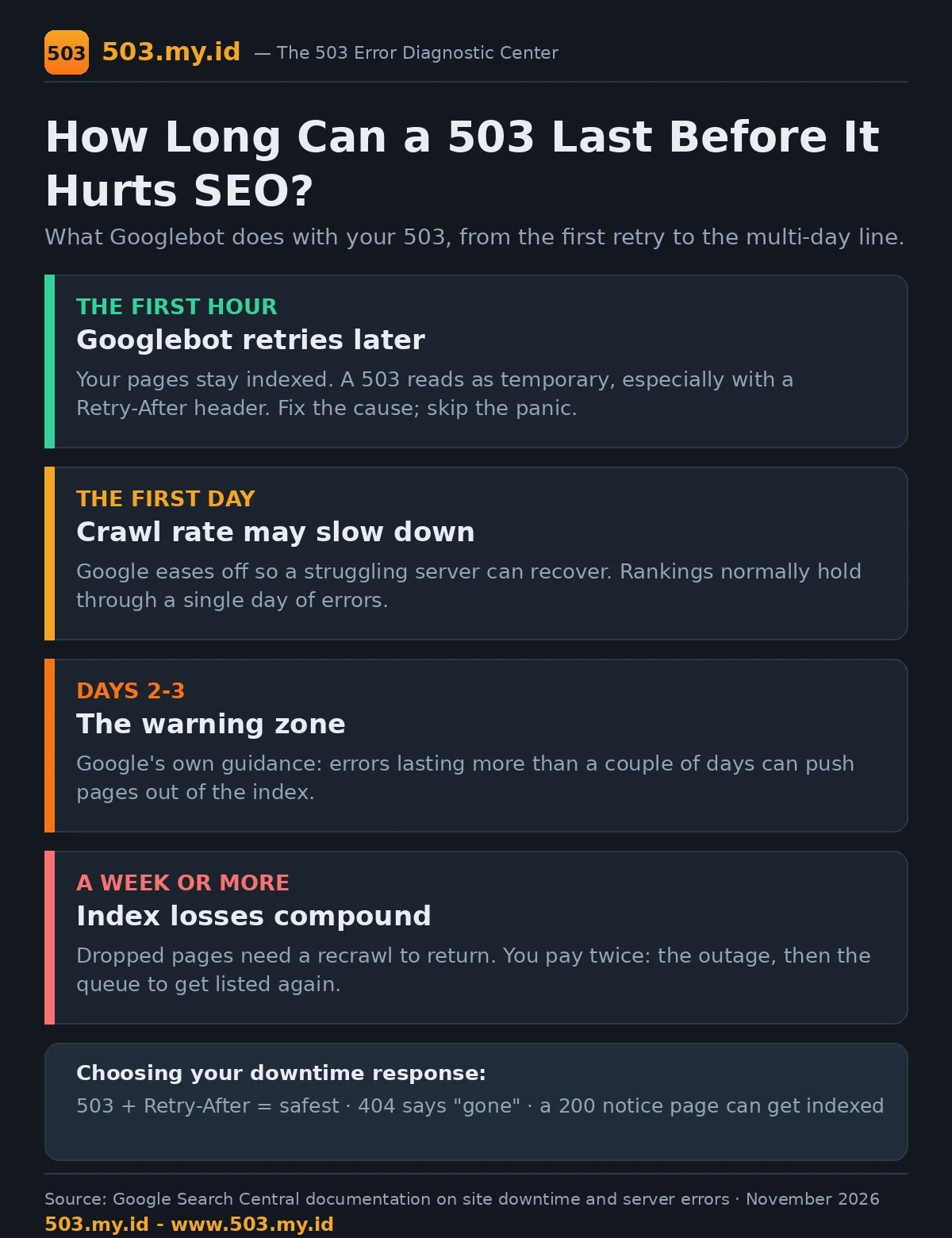
Minute one: Googlebot receives your 503 and reads any Retry-After header you sent.
It does not drop the page. It schedules a retry and moves on.
Over the next hours, retries continue, but Google may reduce how often it crawls your site.
Google slows crawling deliberately, so a struggling server is not pushed harder while it recovers.
Through the first day, indexed pages normally stay indexed, and rankings normally stay put.
Nothing in Google’s documentation suggests a one-hour outage erases rankings. Panic is premature here.
When Temporary Becomes Damage: The Multi-Day Line
Past roughly two days of continuous errors, Google’s patience becomes a countdown instead.
Pages that keep failing may be removed from the index until they can be recrawled successfully.
Removal is not a penalty. Google simply stops listing pages it cannot fetch.
When the site recovers, dropped pages can return after recrawling, but return is not instant.
A week of downtime therefore costs twice: the outage itself, plus the recrawl queue afterwards.
503 vs 404 vs Soft Downtime Pages
The status code you choose during downtime teaches Google what to believe about your pages.
| Your response | What Google hears | SEO risk | Use it when |
|---|---|---|---|
| 503 + Retry-After | Temporarily unavailable; come back later | Lowest for short downtime | Planned maintenance, overload recovery |
| 503, no Retry-After | Temporarily unavailable; timing unknown | Low; retries less predictable | Unplanned outages you are fixing now |
| 404 | This page is gone | High if sitewide | Pages permanently removed, nothing else |
| 200 “we’re down” page | This is a normal page | High; the notice itself may get indexed | Never for downtime |
The exact header setup lives in our Retry-After and 503 guide.
How to Check the Damage in Search Console
Start in Search Console’s Page indexing report and filter for server errors (5xx).
Open URL Inspection for your homepage and one key page; note the last crawl date.
Then check your server access log for Googlebot visits during and after the outage window.
A healthy pattern is simple: 503s during the window, then 200s once you recovered.
If crawling has not resumed a day after recovery, request indexing for the affected URLs.
Our Lab Evidence
Our lab runs this exact scenario on a test site connected to Search Console.
We schedule a 503 window with Retry-After, record Googlebot’s visits, then restore the site.
The rule under test is the standard maintenance pattern below, applied on the lab stack.
# Planned maintenance: honest 503 + Retry-After (Nginx)
if (-f $document_root/maintenance.on) {
    return 503;
}
error_page 503 @maintenance;
location @maintenance {
    add_header Retry-After 3600 always;
    rewrite ^(.*)$ /maintenance.html break;
}
Lab results pending: crawl logs and URL Inspection notes are inserted after the scheduled session. Nothing here is claimed before the test runs.
What Did Not Work
Myth one: a single hour of 503 deletes your rankings. Google’s documentation contradicts it.
Myth two: swapping 503 for a friendly 200 page is safer. It risks indexing the notice.
Myth three: a blanket 404 is cleaner. Sitewide 404s tell Google your pages are gone.
What actually fails in practice is hiding the outage. Honest status codes recover; disguised ones linger.
Prevention
The cheapest SEO protection is a 503 that never happens, or one measured in minutes.
Health checks, capacity headroom, and rehearsed maintenance windows live in our prevention guide.
Pair them with the technical setup in the Retry-After guide before your next maintenance night.
FAQ
How long can my site be down before SEO suffers?
Hours are normally safe. Beyond a couple of days of continuous errors, pages risk index removal.
Will one hour of 503 remove me from Google?
No. Googlebot retries later, and indexed pages stay indexed through short outages.
Should a maintenance page return 503 or 404?
Return 503 with Retry-After. A 404 tells Google the page is permanently gone.
How do I know if Googlebot saw a 503?
Check your server access log for Googlebot user-agents, then confirm crawl dates in URL Inspection.
Sources and date: Google Search Central documentation and RFC 9110, checked 16 November 2026. Lab evidence section pending our scheduled session.
References
- Google Search Central — How to handle planned site downtime
- Google Search Central — HTTP and network errors (server error guidance)
- RFC 9110 §15.6.4 — 503 Service Unavailable
- RFC 9110 §10.2.3 — Retry-After
- MDN Web Docs — 503 Service Unavailable
Leave a Reply