Lab-tested: app-level reproduction — stand-in storefront and app proxy, 16 November 2026 · platform behaviour from official Shopify documentation
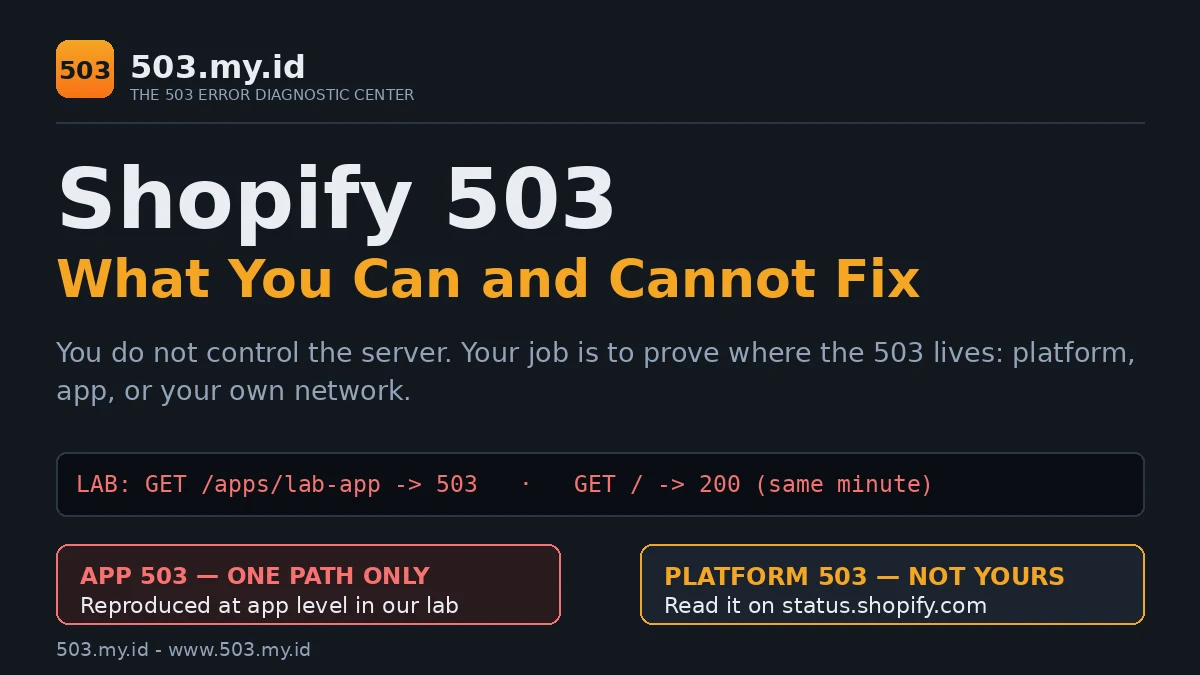
On Shopify you do not control the server — so your job is to prove where the 503 lives.
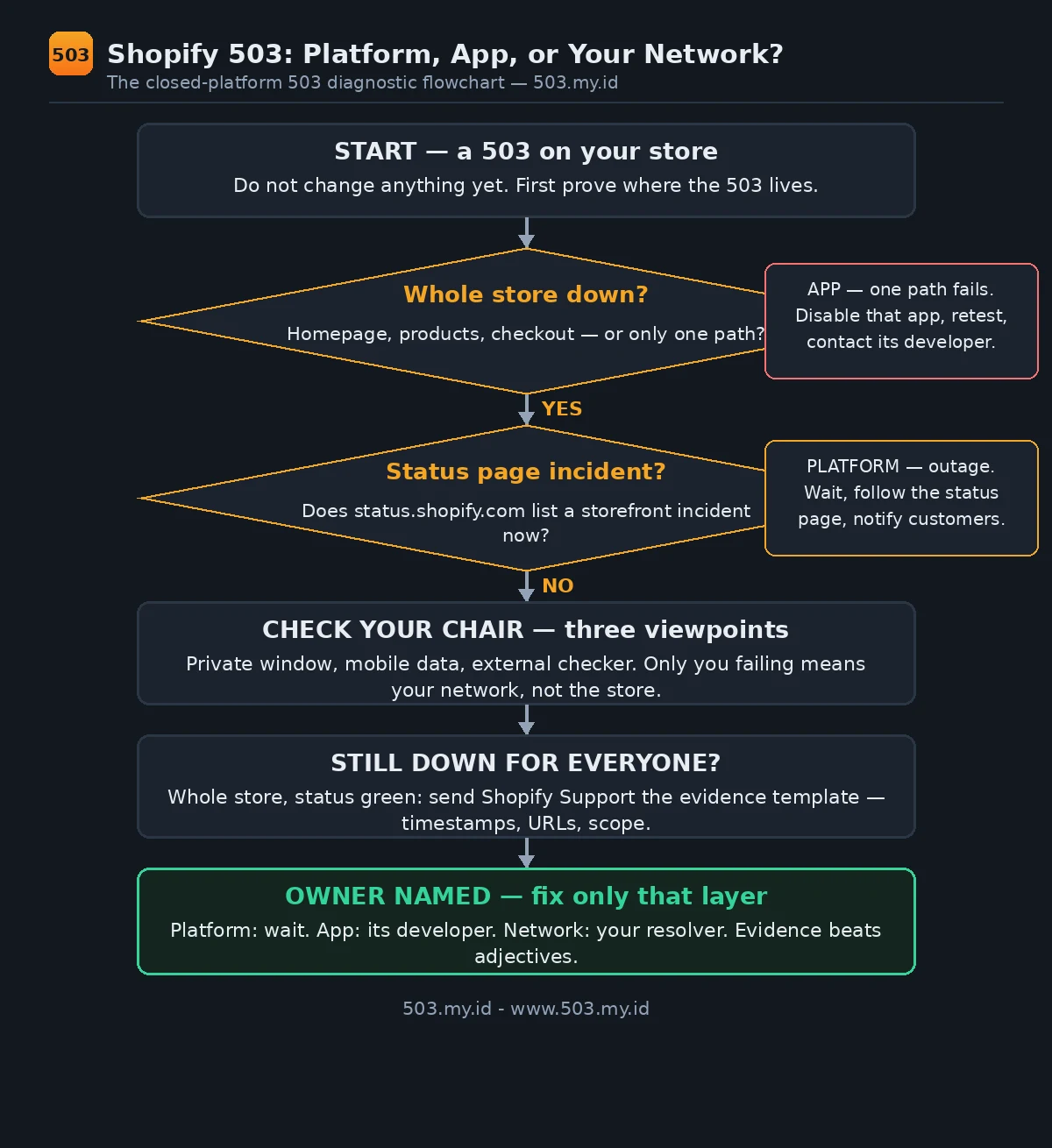
- Check status.shopify.com: is there a platform incident right now?
- Test your store in a private window and on mobile data — app scripts and your network can fake a 503.
- If only one app or integration fails, remove that app’s script/webhook first; if the whole store is down and status is green, contact Shopify Support with timestamps.
Three Different Shopify 503s
One number wears three uniforms on Shopify.
Only one of the three is yours to fix.
First: a platform incident. Shopify’s own infrastructure fails.
The status page records it, and every merchant waits together.
Second: platform throttling. Shopify sheds excess load deliberately.
Its limits protect one shared platform from one store’s spike.
Third: an app’s own 503, served through its proxy path.
That one wears your store’s address, not Shopify’s fault.
The three look identical in a frightened screenshot.
Their owners, fixes, and waiting times are completely different.
Start from the general shape of this error:
our 503 Service Unavailable pillar covers causes across every platform.
Then use this table to name your suspect:
| What you see | Likely owner | First move |
|---|---|---|
| Whole store down, status page shows an incident | Shopify (platform) | Wait; follow the status page |
| Whole store down, status page green | Unproven — gather evidence | Send the support template below |
| Only an /apps/… path or app block fails | The app’s developer | Disable that app, then retest |
| An integration reports API errors | Your integration’s rate | Check for 429, slow down |
| Only you can see the error | Your network or browser | Private window, mobile data |
This table also lives as a standalone file, ready to embed.
“503 Service Unavailable” on a Storefront vs in an App
On a storefront, the 503 replaces the whole shop.
No header, no cart, no checkout — one plain error page.
During platform incidents, that page is Shopify’s own.
Inside an app proxy path, the failure is narrower.
The store around the app keeps selling normally.
Only the app block fails: a size guide, a booking widget.
Same number, very different blast radius.
Your address bar already knows which one you have.
A failing URL containing /apps/ points at an app.
A failing homepage or checkout points at the platform.
Read the URL before you read anything into the error.
Check 1: Platform Status and Your Plan’s Rate Limits
Open status.shopify.com before you touch your store.
It reports incidents per function: storefront, checkout, admin, API.
A degraded storefront component ends your investigation there.
Your fix becomes patience, plus a notice to customers.
During our lab window, the page read “All Systems Operational”.
That capture sits in this article’s lab folder as a reference.
Green status moves suspicion to apps and limits.
About limits, one fact prevents most misdiagnosis:
Shopify’s APIs throttle with 429, not 503.
The REST Admin API uses a leaky bucket:
40 requests per app and store, refilling two per second.
The GraphQL Admin API charges calculated query cost instead.
A single query may never exceed 1,000 cost points.
Over either limit, the API answers 429.
Its response carries a Retry-After header.
So an integration “getting 503s” deserves one question first:
did it actually receive 429, and mislabel it?
Storefronts have their own platform protections under extreme traffic.
Those refusals are Shopify shedding load, not your store breaking.
Either way, the status page and the real code separate them.
Check 2: Apps, App Proxies, and Webhooks Returning Their Own 503
Apps reach your storefront through app proxies.
Shopify forwards each /apps/… request to the app’s server.
Whatever that server answers is what your visitor sees.
A healthy app answers 200 and its block renders.
A struggling app answers 503, inside your store’s design.
Shopify does not rewrite the app’s status code.
That is why one vendor’s outage becomes your screenshot.
Webhooks fail in the opposite direction, and quieter.
Your endpoint answers 503, so one delivery fails.
Shopify retries failed deliveries, but a dead endpoint stays dead.
Orders keep selling while the integration silently falls behind.
The test for the proxy case takes one minute:
disable the app’s storefront block, then reload the page.
If the 503 leaves with the app, you found its owner.
Report it to that developer, with the template below.
Prevention habits for app and webhook load live in
our guide to preventing 503 errors.
Check 3: Your Own Network, DNS, and Browser (503 semu)
Sometimes the 503 lives in your own chair.
A VPN exit node can be refused upstream.
A filtered DNS resolver can answer with its own error.
A stale cache can replay yesterday’s outage.
Each serves you a failure nobody else can see.
Test in a private window, extensions off.
Test again on mobile data, Wi-Fi fully disconnected.
Then fetch the page from a third viewpoint:
our 503 Checker reads your storefront from outside.
Three viewpoints agreeing beats one browser insisting.
If only your network fails, the store was never down.
Change resolver or exit node, and the “outage” evaporates.
Our Lab Reproduction
Honesty first: this lab uses no Shopify development store.
We created no Shopify or Partner account for it.
A platform incident cannot be staged from outside anyway.
So we reproduced the layer a merchant can actually meet:
a stand-in storefront with an app proxy, and an app behind it.
The proxy passes the app’s status and body through untouched.
That matches how Shopify documents its own app proxies.
Phase 1 — app healthy. The proxy path answered 200:
GET /apps/lab-app
HTTP/1.0 200 OK
X-Lab-Layer: app-proxy
X-Lab-Upstream-Status: 200
Phase 2 — app set to fault. Same URL, new answer:
GET /apps/lab-app
HTTP/1.0 503 Service Unavailable
X-Lab-Layer: app-proxy
X-Lab-Upstream-Status: 503
Retry-After: 120
At that same minute, the storefront homepage answered 200.
The product page answered 200 too.
Only the app’s path carried the 503.
Phase 3 — app process killed. The proxy answered 502.
A dead app and a 503-ing app leave different signatures.
The storefront stayed 200 throughout that phase too.
Phase 4 — app restored. The proxy path returned to 200.
Nothing on the storefront side was changed at any point.
The app’s own log tells the whole story in three lines:
2026-11-16T15:38:28Z app request path=/apps/lab-app mode=healthy -> 200
2026-11-16T15:38:28Z app request path=/apps/lab-app mode=fault -> 503
2026-11-16T15:38:30Z app request path=/apps/lab-app mode=healthy -> 200
What this proves is narrow, and we claim nothing wider:
an app’s 503 can live entirely inside one storefront path.
What it cannot prove is Shopify’s internal behaviour.
Platform incidents and platform throttling are documented behaviour.
They are cited below as documentation, not as lab results.
What to Send Shopify Support
Whole store down plus a green status page means one thing:
Shopify Support needs evidence, not adjectives.
Send facts they can match against platform logs.
Copy this template and fill every line:
Subject: Storefront 503 — [your-store].myshopify.com — [date]

Store: [your-store].myshopify.com (plan: [Basic/Shopify/Advanced/Plus])
First seen: [YYYY-MM-DD HH:MM, timezone]
Still happening at: [HH:MM, timezone]
Affected URLs: [full URLs, one per line]
Scope: [whole store / checkout only / one /apps/ path]
Status page at that time: [green / incident link]
Error shown: [exact text or screenshot attached]
Request ID or headers, if visible: [paste]
Recent changes: [apps installed or updated, theme edits, launches]
Already tested: [private window, mobile data, external checker result]
Impact: [orders affected, campaigns running]
This template also lives as a standalone text file.
While you wait for an answer, one question matters commercially:
what does a downtime window do to your search rankings?
Our 503 and SEO guide answers it with Google’s documentation.
Send the same evidence to an app developer instead,
when Check 2 has already named that app as owner.
What Did Not Work
Blaming the theme. A theme renders pages; it chooses no status codes.
Reinstalling one cannot retire an app’s 503.
Waiting out an app 503. Platform incidents heal centrally.
Our lab app stayed at 503 until its mode changed.
An app’s fault ends when the app recovers — or you remove it.
Reading 429 as 503. Rate-limit answers carry their own number.
They also carry Retry-After, which a real 503 hunt ignores.
Misreading the code sends you to the wrong fix entirely.
Judging from one browser. Our earliest checks disagreed by viewpoint.
Only the three-viewpoint test separated store faults from chair faults.
And one honest non-experiment, stated plainly:
no development store was built, and no merchant store was touched.
Everything platform-side in this article is documentation, labelled so.
FAQ
Is a Shopify 503 my fault?
Almost never the whole store.
Platform incidents belong to Shopify; proxy 503s belong to one app.
Your share is the diagnosis: name the owner before changing anything.
How long do Shopify outages usually last?
Nobody can promise a duration in advance.
The status page posts live updates and the incident’s final length.
Treat it as the only trustworthy clock during an outage.
Can an app make my whole store show 503?
Its proxy 503 stays on its own path — our lab proved that.
An app injected into every page can still break pages visually.
That is broken rendering, not a storewide 503 status.
Who do I contact first?
Status page red: nobody — wait, and watch the page.
One app failing: that app’s developer, with evidence.
Whole store down, status green: Shopify Support, template above.
Sources and date: app-level reproduction run 16 November 2026 on a stand-in storefront and app proxy (Python 3.13).
Platform behaviour, API rate limits, and app proxy mechanics follow Shopify Help Center and Shopify Dev Docs, checked 16 November 2026.
References
- Shopify Help Center — Shopify status and store troubleshooting.
- Shopify Dev Docs — API rate limits (REST leaky bucket; GraphQL calculated query cost).
- Shopify Dev Docs — App proxies (online store).
- RFC 9110 §15.6.4 — 503 Service Unavailable (IETF).
Leave a Reply