
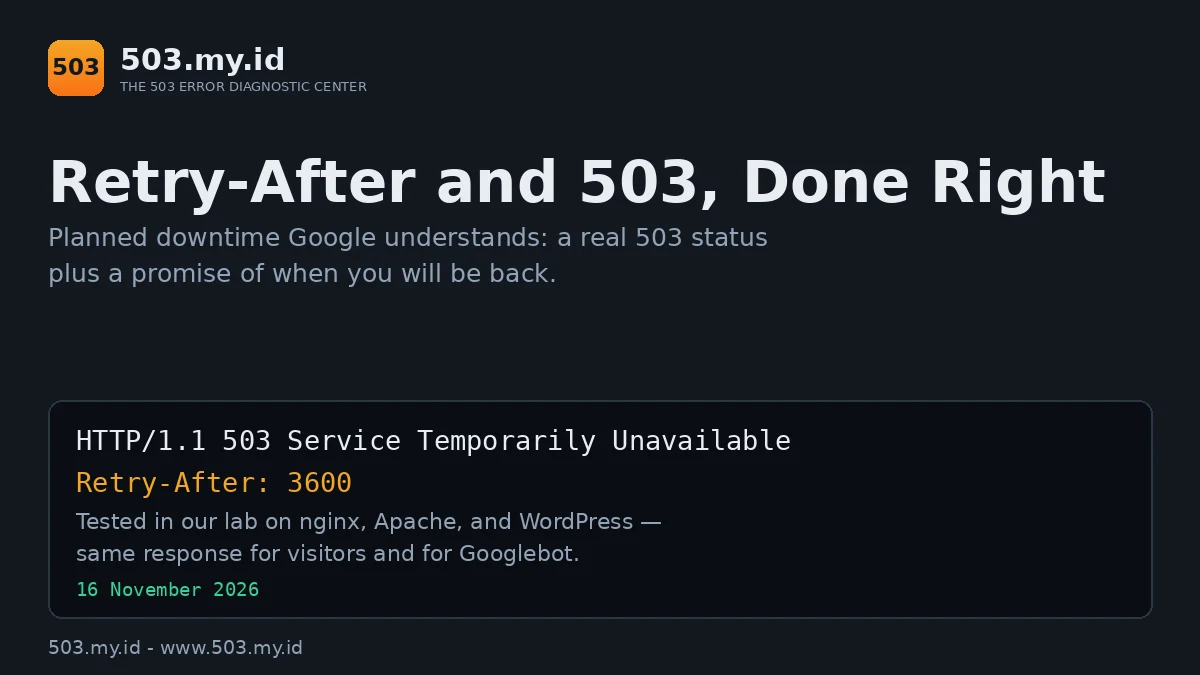
Lab-tested: nginx 1.26.3 · Apache 2.4.71 · WordPress 7.1.4 · PHP-FPM 8.4 · 16 November 2026 · Four variants reproduced in our lab
Planned downtime done right takes three lines of setup.
- Return a real 503 status — not a normal page saying “under maintenance”.
- Add a
Retry-Afterheader with your expected return time. - Verify with curl before you start: you should see
HTTP/1.1 503and your header in the response.
Why Google Asks for 503 + Retry-After
Google’s downtime guidance is unusually specific.
For planned maintenance, return 503 — “service unavailable.”
Add Retry-After to say when the site returns.
Googlebot then schedules its revisit instead of guessing.
It retries later rather than hammering a down site.
And it treats the pause as temporary, not disappearance.
Two common alternatives send the opposite signal.
A friendly page with status 200 claims all is well.
Google may index your maintenance text as content.
A blanket 404 claims the pages are gone.
How long a 503 can run before rankings suffer is covered in the 503 and SEO guide.
This article is the technical half: returning the pair correctly.
Every snippet below was executed in our lab first.
The Response, Header by Header
This is the exact response our lab Nginx returned.
One request, normal visitor, maintenance switch on:
HTTP/1.1 503 Service Temporarily Unavailable
Server: nginx
Content-Type: text/html
Content-Length: 1415
Retry-After: 3600
Read it line by line:
- Status 503 — the server is unavailable, temporarily, on purpose.
- Retry-After: 3600 — come back in 3,600 seconds (one hour).
- Content-Type: text/html — the body is a human page, not an error dump.
- Content-Length: 1415 — our friendly maintenance page, 1,415 bytes.
The header also accepts an HTTP date instead of seconds.
Seconds are simpler and harder to get wrong.
Your number should match your real maintenance window.
Promise an hour, and be back within the hour.
Set It on Nginx
The switch is an empty file. Create it, maintenance starts.
Delete it, maintenance ends — no reload needed between.
Add this to your server block:
location / {
    if (-f $document_root/maintenance.on) { return 503; }
    try_files $uri $uri/ /index.php?$args;
}
error_page 503 /maintenance.html;
location = /maintenance.html {
    internal;
    add_header Retry-After 3600 always;
}
Reload Nginx once, after editing the config.
Then control everything with the switch file:
touch /path/to/site/maintenance.on    # maintenance ON
rm /path/to/site/maintenance.on       # maintenance OFF
The word always in add_header is load-bearing.
Without it, Nginx drops custom headers on error responses.
Our status-code lab proved that the hard way.
More Nginx failure modes live in the Nginx 503 guide.
Set It on Apache / .htaccess
The same switch-file idea works in .htaccess.
This exact file was tested on Apache 2.4 in our lab:
RewriteEngine On
RewriteCond %{REQUEST_URI} !/maintenance.html$
RewriteCond %{DOCUMENT_ROOT}/maintenance.on -f
RewriteRule ^ - [R=503,L]
ErrorDocument 503 /maintenance.html
Header always set Retry-After "3600"
The conditions exempt the maintenance page itself.
Everything else gets 503 while maintenance.on exists.
ErrorDocument supplies the friendly body; Header the promise.
One lab finding matters for PHP-FPM setups.
With ProxyPassMatch wiring, a direct /index.php request bypassed the rule.
It answered 200 while every pretty URL answered 503.
Proxy translation runs before per-directory rewrites there.
Prefer SetHandler-style FPM wiring, or guard PHP paths too.
Apache’s other 503 causes are decoded in the Apache 503 guide.
Set It on WordPress Without a Plugin
WordPress core already speaks this protocol.
Create a file named .maintenance in the WordPress root:
<?php $upgrading = time(); ?>Core then answers every front-end request itself.
Our lab captured its response verbatim:
HTTP/1.1 503 Service Unavailable
Retry-After: 600
Yes — core adds Retry-After: 600 on its own.
Delete the file and the site returns instantly.
One limit: core ignores a file ten minutes old.
Refresh the timestamp for longer windows, or use code.
For full control, a must-use plugin is twelve lines.
Save it as wp-content/mu-plugins/maintenance.php:
<?php
/* Plugin Name: Maintenance Mode (503 + Retry-After) */
add_action('template_redirect', function () {
    if (is_admin() || current_user_can('manage_options')) { return; }
    status_header(503);
    header('Retry-After: 1800');
    header('Content-Type: text/html; charset=utf-8');
    echo '<!DOCTYPE html><title>Back soon</title>
    <h1>Scheduled maintenance</h1>
    <p>We will be back within the half hour.</p>';
    exit;
}, 1);
Our lab ran this exact snippet: 503 plus Retry-After: 1800.
Administrators keep full access; visitors and bots get the pair.
About maintenance plugins: judge them by their response.
Good ones return a real 503, ideally with the header.
Ones returning 200 are themes, not maintenance modes.
Test any plugin with curl -i before trusting it.
Set It Behind Cloudflare
This section follows Cloudflare’s documentation; it is not lab-tested.
Two paths exist, depending on where the 503 is born.
Origin-born: Cloudflare passes an origin 503 through untouched.
Your Retry-After header travels with it to Googlebot.
Nothing to configure — just do not strip the header.
Edge-born: a Cloudflare Worker can return the pair itself.
The Worker answers 503 plus Retry-After for matched routes.
On the Free plan, Workers allow 100,000 requests daily.
That quota is the plan limit to watch.
Either way, verify from outside: headers must survive the edge.
Our 503 Checker reads both fields from any URL.
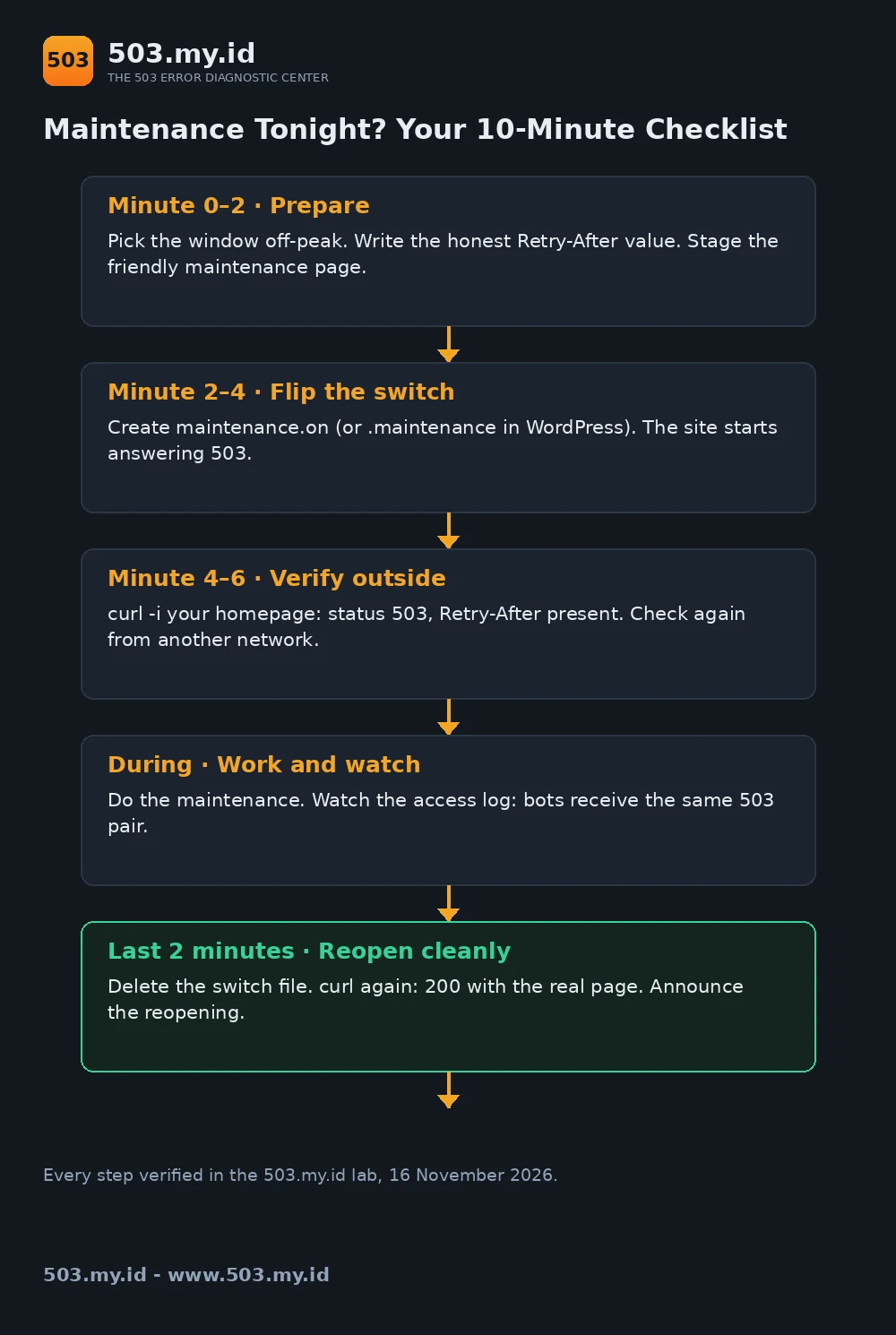
Verify Before, During, and After
Three checks, three minutes, zero surprises.
Before: flip the switch in a quiet moment first.
Run curl -i https://yoursite.example/ and read the response.
You must see the 503 status and your header.
During: repeat the check from outside your network.
The Checker confirms what the public internet sees.
In Search Console, URL Inspection shows Google’s own fetch result.
After: remove the switch and curl once more.
A 200 with your real page closes the window cleanly.
Our lab ran this loop for every variant below.
It caught two of our own mistakes before publication.
Prevention habits around maintenance live in the prevention guide.
Our Lab Reproduction
Four variants, one WordPress lab site, one switch each.
Every request was repeated with a Googlebot user-agent.
The access log recorded identical treatment for both agents.
- Nginx rule: 503 plus
Retry-After: 3600, both agents, log-verified. - WordPress core
.maintenance: 503 plusRetry-After: 600, both agents. - WordPress snippet: 503 plus
Retry-After: 1800, both agents. - Apache
.htaccess: 503 plusRetry-After: 3600, both agents. - Control (snippet minus header): 503, no
Retry-Afteranywhere.
One honesty note about the Googlebot evidence.
Our lab requests carried Googlebot’s user-agent string.
They prove the server answers that agent correctly.
Real-bot crawl evidence needs a public, verified property.
That session is shared with the SEO guide’s lab.
Full request captures and log lines ship with this article.
What Did Not Work
A pretty page with status 200. We served one deliberately.
Googlebot’s agent received HTTP/1.1 200 OK and maintenance text.
That response says “index this” — the opposite of downtime.
A 503 without Retry-After. Our control variant proved the gap.
The status was correct; the return promise was missing.
Crawlers then guess, and guessing means repeated early retries.
Assuming .htaccess covers everything. It did not, on ProxyPassMatch.
A direct PHP path slipped past the rule at 200.
Verify the exact URLs your visitors and bots actually fetch.
FAQ
What Retry-After value should I use?
Your honest expected downtime, in seconds.
Thirty minutes is 1800; one hour is 3600.
Padding slightly is fine. Promising minutes, taking days, is not.
Does Google always respect Retry-After?
It is a strong hint, not a contract.
Google’s guidance recommends it, and Googlebot generally honours it.
Expect a revisit near your value, not exactly at it.
Is a maintenance plugin’s page a real 503?
Sometimes. Plugins differ, and many return 200.
Check yours with curl -i during a test window.
The status line tells you the truth in one second.
Should my homepage and all pages return 503, or only some?
All of them, for full-site maintenance.
A healthy homepage beside 503 articles sends mixed signals.
Partial maintenance is fine only when the rest truly works.
Sources and date: Lab reproductions run 16 November 2026 on nginx 1.26.3, Apache 2.4.71, WordPress 7.1.4, PHP-FPM 8.4.27 (Debian 13).
Retry-After semantics follow RFC 9110 §10.2.3; the 503 definition follows §15.6.4. Cloudflare limits follow Cloudflare’s documentation.
References
- RFC 9110 §10.2.3 — Retry-After (IETF).
- RFC 9110 §15.6.4 — 503 Service Unavailable (IETF).
- Google Search Central — How to handle planned site downtime.
- nginx documentation — ngx_http_headers_module (add_header) and error_page.
- Apache httpd 2.4 documentation — mod_rewrite, mod_headers, ErrorDocument.
- Cloudflare documentation — Workers limits and origin error pass-through.
Leave a Reply