

Cache test, 18 November 2026: nginx 1.26.3 stored one page and kept serving it after we killed the origin. The same URL, uncached, failed 502.
Cache the pages your visitors actually land on — before the origin gets sick.
- Put a reverse-proxy cache in front of your busiest public pages.
- Let a stored copy answer while the origin recovers or restarts.
- Never cache carts, checkouts, dashboards, or anything personalised.
Choosing layers is easier with the 503 Decision Tree open beside you.
Most 503s are arithmetic: more requests arrive than the origin can finish.
Caching changes the arithmetic instead of begging the origin to work harder.
Every stored copy served is one PHP worker, one database query, one failure avoided.
Why a Cache Deletes 503s
A reverse-proxy cache sits between visitors and your application.
The first request renders normally and leaves a copy behind.
Later requests read the copy; the origin hears nothing at all.
During an origin outage, a fresh-enough copy can keep answering while everything behind it restarts.
That behaviour needs an explicit stale-on-error rule — it is not the default everywhere.
MDN’s caching guide describes the same shared-cache model this lab exercises.
The diagram below is the exact request path we measured:
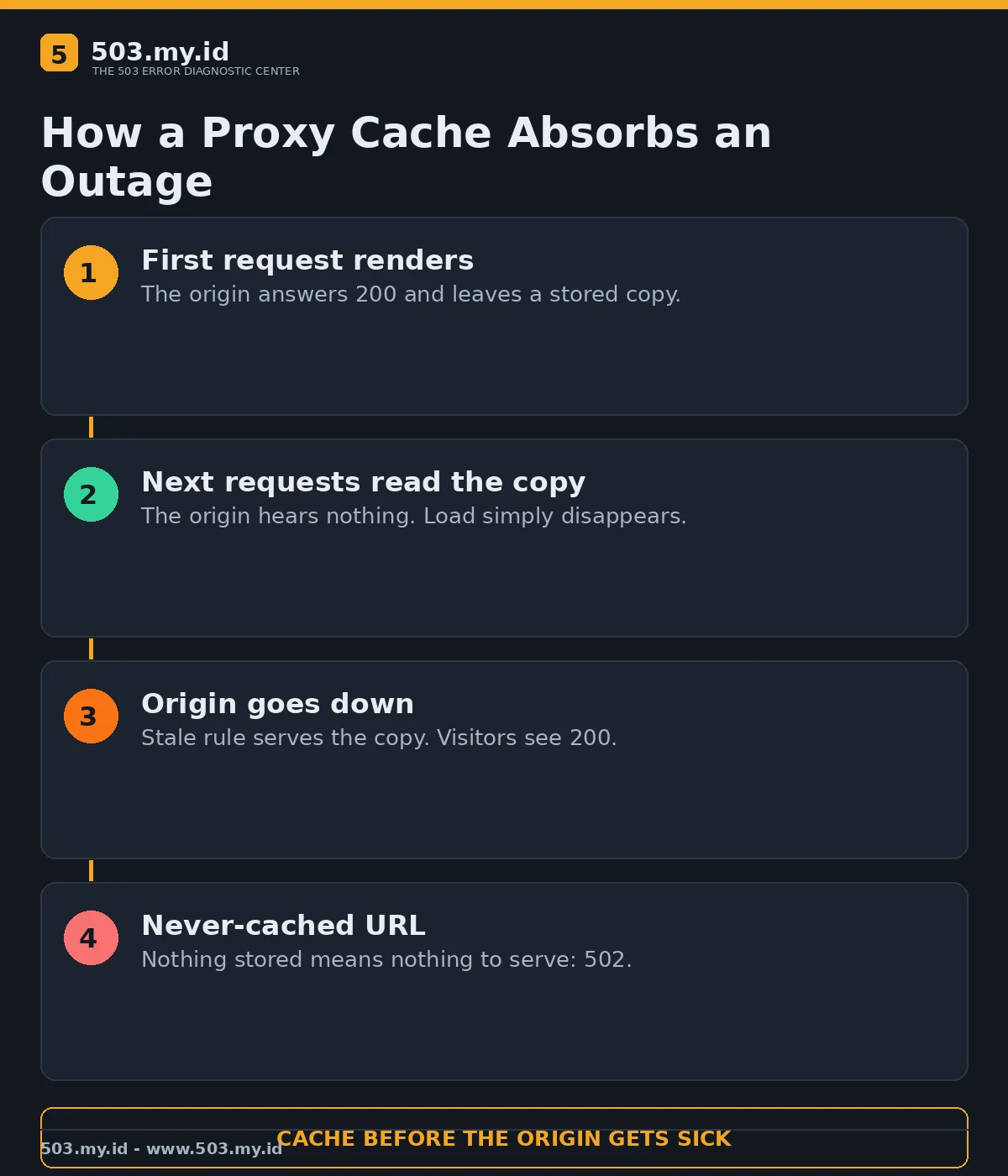
Our Lab: The Origin Died, the Page Stayed Up
nginx 1.26.3 proxied to a small PHP origin that stamped each render with a counter.
Request one returned 200 with X-BatchB-Cache: MISS and body origin-render-1.
Request two returned 200 with HIT — and still body origin-render-1.
The counter staying frozen proves the origin never rendered the second response.
Then we stopped the origin entirely and asked again:
GET /cached-page  -> 200 HIT origin-render-1
GET /bypass-page  -> 502 (origin down, nothing stored)
One URL survived its own origin. The other, never stored, had nothing to fall back on.
After the origin restarted, the cached URL kept answering 200 without drama.
The Tested Configuration
The cache zone and the stale rule are the whole trick:
proxy_cache_path /var/cache/batchb levels=1:2
    keys_zone=batchb_cache:10m max_size=100m inactive=10m;
proxy_cache batchb_cache;
proxy_cache_valid 200 60s;
proxy_cache_use_stale error timeout http_502 http_503 http_504;
add_header X-BatchB-Cache $upstream_cache_status;
proxy_cache_use_stale is the line that turns a copy into outage cover.
Without it, an expired entry plus a dead origin still ends in an error page.
Start TTLs short — sixty seconds in the lab — and lengthen them per content type.
Verify with the status header on every change; guessing cache behaviour wastes afternoons.
Which Layer Caches What
- Browser cache — free and instant, but it only helps repeat visitors.
- Proxy or CDN cache — the outage shield; it serves everyone, stored copy permitting.
- Page cache plugin — turns dynamic pages into files; still depends on your server living.
- Object cache — speeds the origin itself; it prevents overload rather than covering outages.
My order for a 503-prone site: proxy cache first, object cache second, plugins third.
The Cloudflare flavour of this defence is covered in the Cloudflare 503 guide.
Pair caching with the capacity habits in how to prevent 503 errors.
What Did Not Work
The uncached control URL is the honest failure: origin down meant 502, full stop.
Caching cannot invent a copy of a page nobody requested while things were healthy.
Long TTLs on a news homepage would trade 503s for stale headlines — a different incident.
Personalised pages stayed out of the cache on purpose; sharing them would be a privacy bug.
One cache layer also stays one layer: if nginx itself dies, nothing here answers.
Rules Before You Switch It On
Cache public, identical-for-everyone pages: articles, product pages, landing pages, documentation.
Exclude anything behind login, anything with a cart, anything priced per visitor.
Decide purge behaviour before launch day, not during the first stale-price complaint.
Then confirm the public view with our free 503 checker.
FAQ
Can caching completely stop 503 errors?
No. It removes origin load and covers short outages for stored pages only.
Does a CDN count as this kind of cache?
Yes — a CDN is a distributed proxy cache, with the same stale-copy trade-offs.
What TTL should I start with?
Sixty seconds while you verify headers, then minutes to hours for stable pages.
Why did the uncached page return 502, not 503?
The proxy was alive and the origin was gone; that combination usually answers 502.
Sources and date: NGINX and MDN caching documentation and our lab reproduction, checked 18 November 2026.
References
- MDN Web Docs — HTTP caching
- NGINX Documentation — Module ngx_http_proxy_module (proxy_cache)
- RFC 9111 — HTTP Caching
- RFC 9110 §15.6.4 — 503 Service Unavailable
Leave a Reply