
Nothing in this guide is theory: on 16 November 2026 we forced real 503s on WordPress 7.1.4 with PHP-FPM 8.4, nginx 1.26.3, Apache 2.4.71 and MariaDB 11.8, captured the logs, and fixed each one.
Fix first, read later. Most 503s are temporary overload or maintenance, not a broken site.
- Wait 2 minutes and reload — note the exact time.
- Check whether it is only you: run the URL through our 503 Checker.
- Still 503? Follow the Decision Tree below — your platform branch decides the fix.
What Does 503 Service Unavailable Mean?
A 503 means the server is alive, but temporarily unable to handle your request.
RFC 9110 §15.6.4 defines it as a temporary condition: overload, or scheduled maintenance.
The same section says the condition should disappear after some delay.
Servers can name that delay with a Retry-After header (RFC 9110 §10.2.3).
That header is a promise: come back at this time, not before.
A 503 is therefore different from a crash.
The machine answered you. It simply refused the work, politely, for now.
The Exact Messages You Might See
The number stays 503, but the words change with the software serving it.
WordPress, during updates or stuck maintenance, shows this sentence:
Briefly unavailable for scheduled maintenance. Check back in a minute.
We captured that exact page in our lab, with a 503 status.
nginx serves its default page with this line:
503 Service Temporarily Unavailable — nginx
Apache’s default wording is longer:
503 Service Unavailable — The server is temporarily unable to service your request due to maintenance downtime or capacity problems.
Behind Cloudflare, the error page carries Cloudflare branding and a CF-Ray ID.
That branding matters: it tells you which layer answered.
Copy the exact sentence you see into a search engine.
Verbatim error text is the fastest route to the right fix guide.
The 5 Causes Behind Most 503s
Nearly every 503 traces back to one of five causes.
Three are reproduced in our lab, with logs, in the next section.
Two are documented from official sources, with reproductions in their own guides.
1. Maintenance mode that never switched off
WordPress writes a .maintenance file when an update starts.
It deletes the file when the update finishes cleanly.
Interrupt the update, and the file stays — and so does the 503.
Lab status: reproduced and fixed, 16 November 2026.
2. The PHP worker pool is full
PHP-FPM runs a fixed number of worker processes per pool.
When every worker is busy, new PHP requests wait in a queue.
Wait too long, and the web server gives up on them.
What visitors then see depends on that web server’s timeout settings.
Lab status: reproduced and measured, 16 November 2026.
3. The backend is down, and the proxy says 503
Sometimes PHP is not busy. It is simply not running.
The proxy then has nobody to hand the request to.
Apache answers that situation with a 503, instantly.
Our first lab attempt produced exactly this — by accident (see What Did Not Work).
Lab status: reproduced, 16 November 2026.
4. A CDN rule returns 503 on purpose
Cloudflare rate-limit and firewall rules can answer 503 deliberately.
So can a Worker script that returns the status itself.
The origin server may be perfectly healthy underneath.
Lab status: documented from Cloudflare’s official docs; reproduction runs on our live lab subdomain.
5. Your hosting plan ran out of room
Shared hosting caps entry processes, I/O, and PHP workers per account.
Hit the cap, and the platform refuses new work with a 503.
The Resource Usage graph in cPanel shows the fault, timed to the minute.
Lab status: documented from cPanel and CloudLinux docs; full reproduction in the cPanel guide.
Reproduced in Our Lab: The Evidence
Our lab stack: WordPress 7.1.4 on PHP-FPM 8.4, behind nginx and Apache.
One WordPress install, one shared FPM pool, two web servers in front.
Test A — Maintenance mode
We activated WordPress maintenance mode, exactly as an update does.
The .maintenance file appeared in the site root (33 bytes).
Every request then returned this response:
HTTP/1.1 503 Service Unavailable
Server: nginx
Retry-After: 600

Briefly unavailable for scheduled maintenance. Check back in a minute.
Apache served the same 503, with the same visitor message.
Removing the file restored a 200 response immediately.
Total downtime is controlled by one small file. That is the whole bug.
Test B — A saturated PHP-FPM pool
We cut the lab pool to three workers (pm.max_children = 3).
Then we fired twelve parallel requests at a page sleeping twenty seconds.
The FPM log wrote the line every admin dreads:
[16-Nov-2026 13:10:51] WARNING: [pool lab] server reached pm.max_children setting (3), consider raising itBehind nginx (30-second read timeout), the twelve requests ended:
- 3 × 200 — finished in about 20 seconds, one per worker.
- 8 × 504 — queued past nginx’s timeout and were abandoned.
- 1 × 502 — refused instantly when the listen queue overflowed.
Behind Apache with default proxy settings, all twelve eventually returned 200.
They took between 48 and 128 seconds. Apache waited; visitors would not.
Behind Apache with a 25-second proxy timeout, the split was cleaner:
- 3 × 200 at about 20 seconds.
- 5 × 504 at exactly 25 seconds.
The lesson is uncomfortable and important: a full PHP pool has no single error code.
Your proxy’s timeout decides whether visitors see 503, 504, or a long hang.
On LiteSpeed and many shared hosts, that give-up response is a 503.
Restoring the pool to ten workers returned the homepage to 200 in under a second.
Start Here: The 503 Decision Tree
Do not guess. Answer five questions and land on one cause.
Every endpoint links to the fix guide our lab verified for it.
Fix It by Platform
The same 503 needs different hands on different platforms.
- WordPress — stuck maintenance files and plugin overload, the most common case we meet.
- WooCommerce — 503s that strike only at checkout or on AJAX actions.
- Cloudflare — learn whose 503 it is before changing anything.
- cPanel shared hosting — resource limits, read from the panel’s own graphs.
- Shopify — what you can prove, and what only Shopify can fix.
Fix It by Server Stack
Run your own server? Start from the layer that answered.
- nginx — limits, rules, and upstream trouble, separated by log line.
- PHP-FPM — the
pm.max_childrenguide, with the RAM math done safely. - Apache — proxy errors, MPM scoreboards, and deliberate maintenance rules.
503 vs 500 vs 502 vs 504 vs 429
These five codes are confused constantly, and the fixes do not overlap.
| Code | Meaning | Whose problem | First move |
|---|---|---|---|
| 500 | The app itself crashed | Server / your code | Read the PHP error log |
| 502 | Proxy got no valid answer | Backend down or crashed | Check PHP / app is running |
| 503 | Busy or in maintenance | Server — temporarily | Wait, then run the decision tree |
| 504 | Backend too slow to answer | Slow script or query | Find what holds the workers |
| 429 | Rate limit was hit | Client sending too fast | Slow down, honor Retry-After |
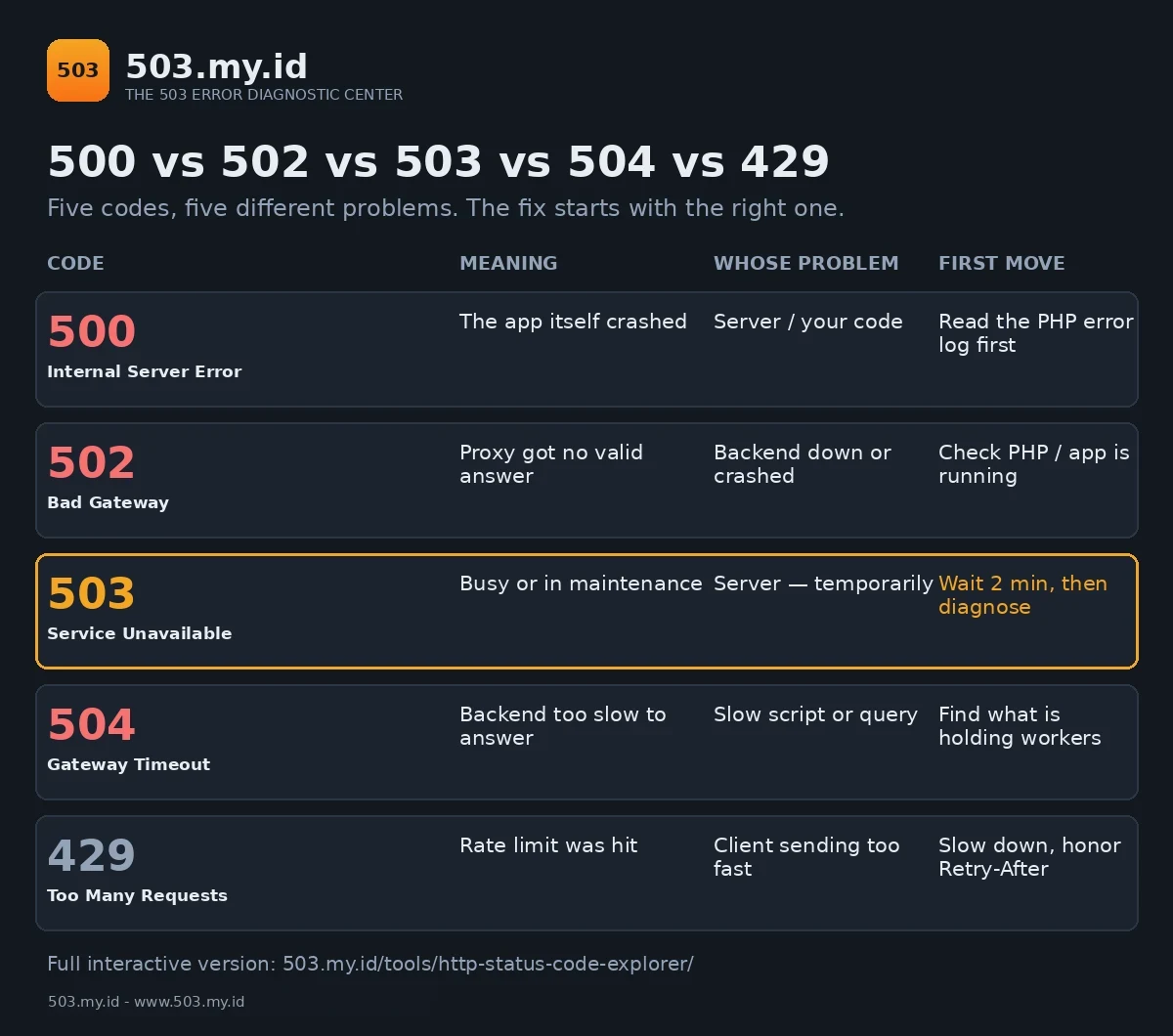
For the interactive version, open the HTTP Status Code Explorer.
Click a code and see its cause, its log signature, and its fix.
Prefer paper? Download the 503 Cheat Sheet (PDF) — the five causes, the five codes, and the first moves on two printable A4 pages.
How Long Can a 503 Last Before It Hurts SEO?
Short answer: hours are fine; days are not.
Google treats a 503 as temporary and comes back to retry.
Send Retry-After, and you tell the bot when to return.
Stretch the outage across several days, and pages risk dropping out.
The full timeline, with Google’s own wording, is in Does a 503 Hurt SEO?
And Retry-After and 503 shows the maintenance setup, header by header.
How to Prevent the Next 503
Every cause above is cheaper to prevent than to debug at midnight.
Know your ceiling, watch your workers, and give overload a graceful exit.
How to Prevent 503 Errors turns our lab failures into a checklist.
Website Health Checks covers the monitoring that catches saturation early.
What Did Not Work
Our first saturation attempt saturated nothing.
We lowered pm.max_children to 3 but left pm.max_spare_servers at 5.
PHP-FPM refuses that combination, so the service never started at all.
nginx answered 502 and Apache answered 503 — both about a dead backend.
For several minutes, our \u201csaturation test\u201d measured a server that was simply off.
The fix was one line: spare-server values must stay below pm.max_children.
We also learned that re-running two load tests back-to-back contaminates them.
Apache’s batch queued behind requests nginx had already abandoned.
Its first response took 48 seconds for that reason alone.
Lesson recorded: drain the pool between tests, and verify the service is up first.
FAQ
Is a 503 error my fault or the website’s?
Almost always the website’s side. Your browser only reported what the server answered.
How long does a 503 usually last?
Minutes, for maintenance and brief overload. Hours deserve investigation; days deserve escalation.
Will a 503 hurt my Google ranking?
A short one, rarely. A multi-day one can drop pages from the index.
What is the difference between 503 and 502?
A 502 means the backend answered badly or not at all.
A 503 means the server is temporarily refusing work it could normally do.
Should I keep refreshing a 503 page?
No. Refreshing adds load to an already full server. Wait for the Retry-After delay.
Sources and date: Lab reproductions run 16 November 2026. Stack: WordPress 7.1.4, PHP-FPM 8.4.27, nginx 1.26.3, Apache 2.4.71, MariaDB 11.8.
Definitions follow RFC 9110. Cloudflare and cPanel causes use official vendor documentation; their reproductions appear in their own guides.
References
- RFC 9110 §15.6.4 — 503 Service Unavailable (IETF).
- RFC 9110 §10.2.3 — Retry-After (IETF).
- MDN Web Docs — 503 Service Unavailable (Mozilla).
- Google Search Central — How to handle planned site downtime.
- Cloudflare Docs — Error 503; Troubleshooting Cloudflare 5XX errors.
- cPanel Documentation — Resource Usage; CloudLinux Docs — LVE limits.
Leave a Reply